GoTo
- 4.8
- Rating
- 5.00M
- Installs
- Free
- Price

 Analysis by App-foxy
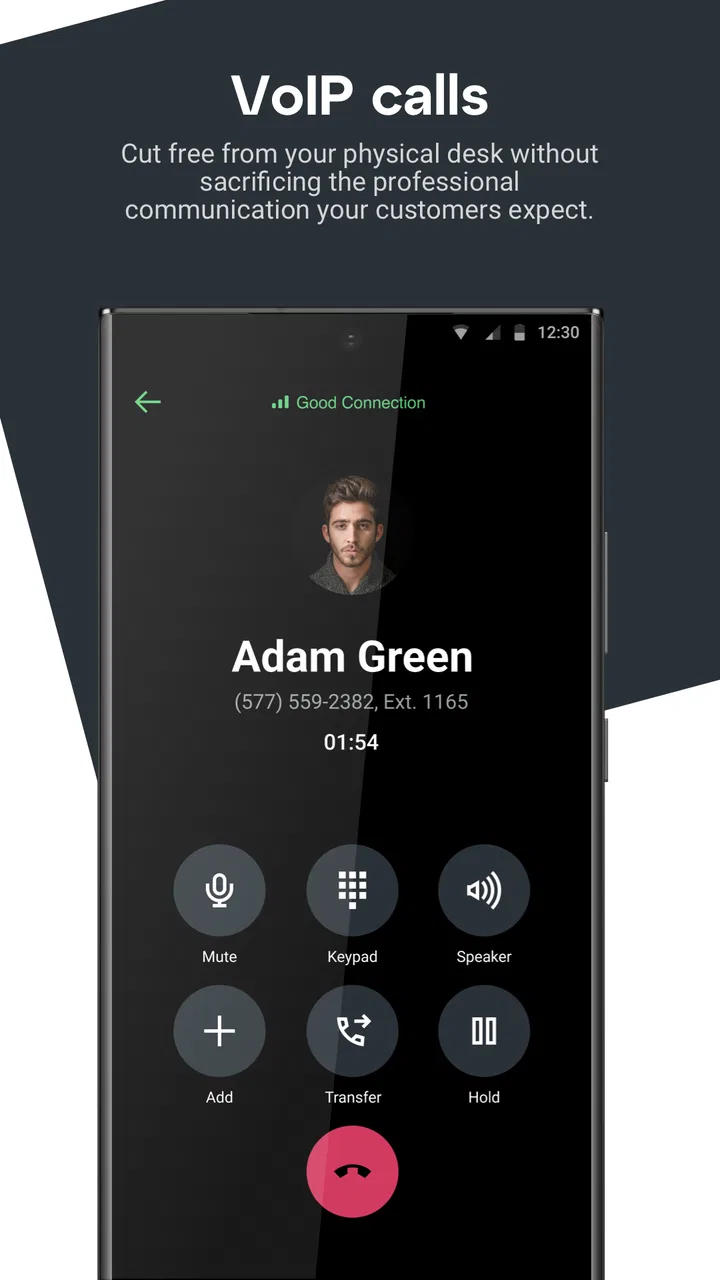
I approached GoTo as a practical communication tool rather than another app that simply wants to replace every message, call, and meeting service on my phone. Its purpose is clear: bring calling, messaging, and online meetings into one mobile experience for work and everyday coordination. That focus makes it easy to understand, but the real question is how well it behaves when my connection is excellent, weak, changing, or limited.
After using it in the situations where a mobile communication app has to earn its place—moving between Wi-Fi and cellular data, answering a call away from a desk, sending a quick message before a meeting, and trying to stay productive with an imperfect signal—I found a service that feels most useful when communication needs to stay organized. It is free, available for Everyone, and developed by GoTo Group, Inc., so it is aimed at a broad audience rather than a narrow technical niche.
The app belongs in the business category, but I would not limit it to large companies. A small team, a freelancer who regularly speaks with clients, or a remote worker who needs one mobile doorway for conversations can all understand its appeal. At the same time, it is not a magic solution for poor connectivity. Its calling and meeting functions still depend heavily on the quality of the network around me, and that dependency shapes almost every part of the experience.
You May Also Like

 Blood Strike: 2.5 Anniversary
Blood Strike’s Loadouts Turn Every Drop Into a Tactical Gamble
A close look at Blood Strike’s custom loadouts: how fast access to signature weapons reshapes its battle royale rhythm, rewards preparation, and narrows the gap between fights.

 Pandora - Music & Podcasts
Pandora’s Music Is Easy to Start, but Harder to Recover
Pandora’s strength is its low-effort path from a seed to a station. Its weak spot is how much confidence it asks you to place in connection, setup, and quiet recovery.

 8 Ball Pool
 Is Built on Rivalries, Rematches, and Routine
A close look at the rivalries, rematches, shared routines, and unanswered safety questions that turn a quick pool match into a persistent mobile community.

 Samsung Music
’s Quiet Strength Is Playing What You Already Own
Its reach comes less from spectacle than from dependable access to a personal library. That simplicity is both the app’s strongest retention engine and its ceiling.

 AccuWeather: Weather Radar
AccuWeather Review: A Quick, Clear Forecast for Everyday Decisions
For everyday plans, the best forecast is the one you can understand quickly. AccuWeather makes rain timing, radar, and local conditions easy to act on, with a few trade-offs.

 Hill Climb Racing
Why Hill Climb Racing Still Turns Crashes Into One More Run
A tiny car, a bumpy hill and one more upgrade: Hill Climb Racing keeps resurfacing because its simple chaos makes every near-miss feel personal.
More From Our News Desk



How GoTo feels when the network is doing the work
I find that a reliable connection changes the whole character of GoTo: it lets me focus on the conversation instead of troubleshooting the phone. This section looks at how I choose between messaging, calls, and meetings when the network is stable, and why starting with the lightest useful channel can keep a work exchange moving.
Calls, messages, and meetings are only as steady as the connection
The most important thing to understand is that GoTo is a live communication app. A text message can tolerate a brief delay, but a voice call or meeting cannot hide a fluctuating connection for long. When the network is stable, the combined approach is convenient: I can move from a written exchange to a call or meeting without treating each activity as a completely separate task.
That continuity is especially useful during work that changes shape quickly. I might begin by messaging a colleague about a document, realize that the subject is too complicated for short replies, and switch to a call. Later, a wider discussion may need a meeting rather than a one-to-one conversation. Keeping those activities within the same communication environment reduces the mental effort of deciding which app to open.
However, this convenience should not be confused with independence from the internet. A weak signal can affect the experience in several ways: a call may become difficult to follow, a meeting may lose its rhythm, and messages may not feel as immediate as they do on a strong connection. I would therefore treat network quality as part of the app’s practical requirements, even though it is not something the app can control.
The best experience comes from planning around the connection, not pretending the connection does not matter. Before joining an important meeting from a phone, I check whether I am on a dependable Wi-Fi network or have enough cellular coverage for the conversation. That small habit matters more than any interface preference because a polished meeting screen cannot compensate for broken audio.
Why the combined format helps during real work
Many communication tools specialize in one area. A traditional messenger may be excellent for quick text, while a dedicated meeting platform may be stronger for scheduled group conversations. GoTo’s appeal is the bridge between these modes. I can use the app for a short operational question, then continue with richer communication when a written exchange becomes inefficient.
That is valuable for teams that do not want every discussion to become a formal meeting. A quick message can establish context first. If the topic needs more attention, a call is a natural next step. When several people need to participate, a meeting makes more sense. The workflow feels less disruptive than starting from scratch in a different service.
The trade-off is that a unified tool may not be the absolute best at every individual task for every user. Someone who only needs casual messaging may find a familiar messenger simpler. Someone whose work revolves around large, highly structured online events may prefer a platform built specifically around that format. I see GoTo as strongest for people who value a connected communication workflow over a collection of specialized tools.
What I would do before an important meeting
My practical routine is simple. I open the app before the scheduled conversation, confirm that the phone has a reliable connection, and avoid beginning from a place where I already know the signal changes frequently. I also keep the phone positioned so that I am not covering microphones or speakers while moving between tasks. These are ordinary precautions, but mobile meetings punish small oversights more than desk-based meetings do.
If I am joining from a busy public place, I consider whether the surrounding sound will make the conversation harder even when the data connection is fine. Connectivity is not only about whether the app can connect; it is also about whether the other participants can understand me. A quiet location and a stable network together make a much bigger difference than either one alone.
Using GoTo away from a desk
Away from a desk, convenience depends on more than being able to open the app; I also have to account for noise, interruptions, and whether I can give a conversation my attention. I’ll look at how I prepare for mobile exchanges and decide when it is better to wait until I can participate properly.
Mobile work is where the app earns its place
The phone version makes the most sense when I am not sitting in front of a computer. A business conversation may start while I am walking between appointments, waiting for transport, or handling a task in another room. In those moments, having calls, messages, and meetings available from one mobile app is more useful than a desktop-only workflow.
I especially like the idea of using messaging as a low-pressure first step. If I am unsure whether someone is available for a call, a short message can establish the reason for contacting them. That is more considerate than repeatedly calling, and it also gives the recipient enough context to decide how to respond. When the issue is urgent or too detailed for text, the conversation can move into a live format.
There is a natural compromise here. Mobile access improves flexibility, but it also makes distractions more likely. Notifications, incoming calls from other services, battery concerns, and changing surroundings can all interfere with a focused conversation. GoTo can make communication available while I am away from my desk, but it cannot turn a phone into a quiet office.
A realistic day-to-day scenario
Imagine a small remote team preparing a client update. In the morning, one person sends a message asking whether a figure has been checked. I can answer directly if the question is simple. If the number needs explanation, I can move to a call instead of filling the conversation with long paragraphs. When the client-facing details require several people, the team can use a meeting to settle the final points.
The benefit is not that every stage becomes effortless. The benefit is that the communication path is easier to follow. The written exchange provides a starting point, the call handles the nuance, and the meeting brings the relevant people together. On a phone, that sequence feels more manageable than juggling separate apps while trying to remember where the latest part of the conversation happened.
The same scenario also shows the limitation. If I am traveling through an area with inconsistent coverage, the transition from message to live conversation may be frustrating. I would send the key information in writing before relying on a call, especially if the deadline is close. That way, the essential context is not trapped inside a conversation that may be interrupted.
Who benefits most from mobile access
I would recommend GoTo to people whose work is communication-heavy but not necessarily tied to a fixed office. Consultants, support staff, distributed teams, and small businesses can benefit from keeping several communication modes close at hand. It is also a reasonable option for someone who wants a business-oriented tool without paying to install it first, since the app is free.
I would be more cautious if your work depends on long meetings from crowded places or on consistently low-bandwidth connections. In that situation, the mobile format may be convenient in theory but stressful in practice. A dedicated low-data communication method, a conventional phone call, or a more specialized meeting solution may suit the situation better.
What happens when communication breaks
A dropped or degraded live conversation is easier to manage when everyone knows what happens next. Here I focus on practical recovery: using a short written update to preserve context, identifying the next action, and avoiding repeated calls that leave colleagues unsure whether to wait or move on.
Recovery starts with choosing the right channel
When a live conversation begins to fail, my first response is not to keep repeating the same action. I switch to the least demanding form of communication available for the immediate need. If the issue is a short fact, messaging is more sensible than fighting through a broken call. If several people are affected, I send a concise update so nobody is left guessing whether the meeting is still active.
This is one of the more useful ways to think about GoTo: the app offers multiple communication modes, and each one has a different tolerance for network problems. Messaging can carry a brief instruction when a live conversation is unstable. A call is better for fast clarification when the connection is good. A meeting is appropriate when the group needs shared discussion. Choosing the mode based on the situation is more reliable than treating every problem as a reason to start a meeting.
I also avoid sending a long series of messages while waiting for a response. On an unreliable connection, repeated updates can create confusion if they arrive out of order or after the situation has already changed. One clear message with the next action is usually better. For example, I might state that I am reconnecting and ask the team to continue with a particular item until I return.
Why recovery is harder on cellular data
Cellular connections can change without warning as I move between locations. A phone may appear connected while the quality is still too inconsistent for comfortable audio or video communication. That makes mobile failure feel less predictable than a complete loss of Wi-Fi. The app may open normally, yet a live conversation can still suffer from delays or interruptions.
For that reason, I would not schedule an important meeting from a moving vehicle or from a route known for patchy coverage unless there is no alternative. If I must join while traveling, I prepare a short written status message in advance and make sure the other participants know how to reach me if the live session becomes unusable. This is not a special feature of the app; it is a practical workflow that respects the limits of mobile connectivity.
Another useful habit is to avoid switching between several demanding phone activities during a meeting. Even when the network is fine, moving rapidly between apps can make it harder to notice a connection warning or return to the conversation smoothly. I prefer to finish the live exchange, then handle other tasks. The simpler the phone’s workload, the easier it is for me to recognize whether a problem comes from the network or from my own multitasking.
The right expectations for reliability
GoTo presents itself as a simple and secure solution for calling, messaging, and meetings, and that combination is attractive. Still, “secure” should not be interpreted as “immune to interruptions.” Security and connectivity are different concerns. A service can be designed for protected communication while a weak signal still causes delays or drops.
My expectation is therefore practical rather than absolute: on a good connection, the app should be a dependable place to communicate; on a poor connection, I need a backup plan. Users who require uninterrupted communication in every environment should not rely on any internet-based meeting app as their only option. Keeping a conventional phone contact method available is sensible for urgent situations.
Using it without wasting mobile data
Mobile data is easiest to manage when I match the channel to the task rather than defaulting to a meeting. This section considers how I keep routine coordination brief, reserve live sessions for discussion that benefits from them, and set team expectations so a simple question does not become an unnecessary data-heavy exchange.
Messaging first can be the more efficient choice
When I am trying to conserve mobile data, I use the communication mode that matches the amount of information I need to exchange. A short message is usually a better starting point than opening a live meeting for a question that can be answered in one sentence. This also helps the recipient, because they can respond when convenient instead of being pulled into an unnecessary call.
I reserve meetings for situations where the group interaction is genuinely useful. If the goal is simply to confirm a time, approve a small change, or ask for one missing detail, messaging keeps the exchange focused. Calls sit between those extremes: they are useful for quick nuance, but they still require a live connection and attention from both people.
This approach makes GoTo feel less wasteful in everyday work. The app does not force every conversation into the richest format. I can decide whether the subject deserves text, voice, or a wider meeting. That choice is one of the practical advantages of having the three functions together.
Small habits that make mobile use easier
I avoid joining a meeting early and leaving it open while doing unrelated work. Even when I am not speaking, an active session can keep the phone engaged and consume attention. I also prefer to use a dependable Wi-Fi connection for longer conversations whenever one is available, saving cellular data for short exchanges or genuinely mobile situations.
For a team, setting expectations helps too. If everyone knows that routine updates belong in messages while complex decisions deserve a call or meeting, fewer people start resource-heavy conversations unnecessarily. This is a workflow improvement rather than an app setting, but it directly affects how comfortable the service feels on a phone.
I would also keep important information concise when the connection is uncertain. A short message containing the decision, owner, and next step is more useful than a long explanation that may be delayed. If the conversation later continues in a meeting, the written summary gives everyone a stable reference point.
When another option may be better
GoTo is not automatically the best choice for someone who rarely needs all three communication modes. If you only exchange casual messages with friends, a consumer messenger may feel more natural. If your main requirement is a large, formal online event with extensive presentation controls, a specialized meeting platform may provide a better fit. If your priority is minimizing data use above everything else, ordinary text messaging or a voice call through a mobile network may be more predictable.
Its strongest case is the middle ground: people who need business communication that can shift between written, one-to-one, and group formats without constant app switching. That is a narrower recommendation than saying it is for everyone, but it is also more honest.
My connectivity verdict after living with the workflow
GoTo is a sensible mobile business app for people who want calling, messaging, and meetings connected in one place. The experience is most convincing when I use messaging to establish context, calls to resolve something quickly, and meetings for discussions that truly need several participants. That progression feels natural and can reduce the clutter of managing separate communication services.
Its mobile value is equally clear and limited by the same fact: the phone lets me communicate from almost anywhere, but the network still decides how smooth the live experience will be. On stable Wi-Fi or reliable cellular data, the app can support a flexible workday. In weak-signal areas, I need to downgrade gracefully to shorter written updates or use another contact method for urgent matters.
The app is free, rated for Everyone, and currently listed as version 2026.2.1, with a minimum operating system requirement of Android 9. It has reached over five million installs, with an average rating of 4.8 from around one hundred forty-nine thousand ratings and roughly two and a half thousand reviews. Those figures suggest that many people find the overall approach useful, but they do not remove the need to judge it against your own communication habits.
For me, the deciding question is not whether GoTo can replace every other tool. It is whether I would rather have one business-focused place for messages, calls, and meetings than keep moving between separate apps. If the answer is yes, I would recommend trying it, especially for a small or distributed team. If your work depends on specialized meeting controls, offline communication, or reliable service in areas with poor coverage, I would look elsewhere or keep a backup channel ready.
My final recommendation is positive, with one condition: treat connectivity as part of the workflow. Use messages when the network or the task calls for something lightweight, choose calls for focused clarification, and save meetings for conversations that benefit from group interaction. Used that way, GoTo feels practical rather than overloaded, and its mobile design becomes a genuine advantage instead of merely another way to receive work notifications.
FAQs for GoTo
01What is GoTo and what features does it offer?
GoTo is a versatile app designed to streamline communication and collaboration across various platforms. It offers features such as video conferencing, screen sharing, and messaging, making it ideal for remote work and team collaboration. The app is compatible with both Android and iOS, providing a seamless experience across devices.
02Is GoTo free to use or are there any subscription fees involved?
GoTo offers a free version with basic features, perfect for small teams or individual use. However, for more advanced features like increased participant limits and enhanced security options, a subscription plan is required. These subscriptions vary in price, catering to different organizational needs and sizes.
03How secure is GoTo for handling sensitive information?
GoTo prioritizes user security by employing end-to-end encryption for all communications. It also provides features like meeting passwords and user authentication to ensure that only authorized participants can access sensitive meetings or data. Regular updates enhance these security measures, making it a reliable choice for businesses.
04Can GoTo integrate with other business tools and applications?
Yes, GoTo seamlessly integrates with a variety of business tools like Google Calendar, Microsoft Outlook, and Slack. This allows users to schedule meetings, manage tasks, and collaborate without leaving their preferred platforms, enhancing productivity and workflow efficiency.
05What kind of support does GoTo offer if I encounter issues?
GoTo provides comprehensive customer support through multiple channels, including live chat, phone support, and an extensive online help center. The help center features FAQs, user guides, and troubleshooting tips, ensuring users can quickly resolve any issues they encounter while using the app.
Pros
- User-friendly interface
- easy to navigate.
- Integration with multiple productivity tools.
- Real-time collaboration features.
- Highly customizable settings.
- Offline access for uninterrupted work.
Cons
- Limited free version features.
- Occasional sync issues.
- High data usage on mobile networks.
- Requires frequent updates.
- Some features are platform-specific.

GoTo
Gallery